
Faster logins and checkouts

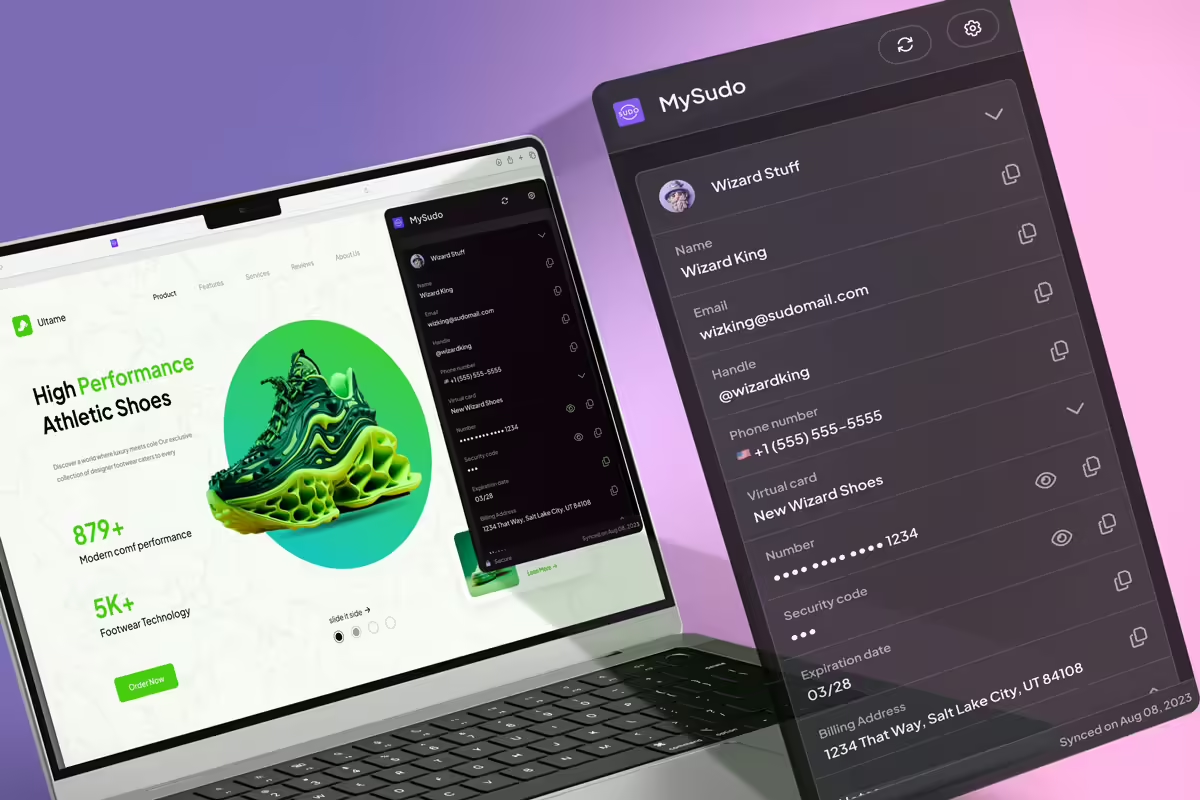
With the MySudo® Browser Extension, you can autofill secure Sudo details instead of personal information, helping you move through signups and checkouts faster while reducing unnecessary data exposure.


Get set up in 2 minutes

Step 1:

Choose and download your preferred browser extension here:

Open the MySudo app on your mobile device:

Tap: Menu > Link browser extension

Scan the QR code on your computer screen to pair with MySudo

Pin your browser extension for easy access to your MySudo credentials

Faster logins and checkouts

Browser autofill saves time, but it also spreads your personal information across the internet. The MySudo browser extension lets you autofill Sudo details instead of your personal information, helping you move through signups and checkouts quickly while reducing unnecessary data exposure. Install it on Chrome, Firefox, Safari, or Microsoft Edge, link it to the MySudo mobile app, and start using it immediately, for speed plus privacy.


Get set up in 2 minutes

The MySudo browser extension works on Safari, Chrome, Firefox and Microsoft Edge, and syncs directly with your MySudo mobile app.

It’s quick to set up:

  1. Install the extension on your preferred browser.
  2. Open the MySudo app on your phone.
  3. Go to settings and link your desktop by scanning the QR code shown in the extension.
  4. Pin the extension to your browser toolbar.

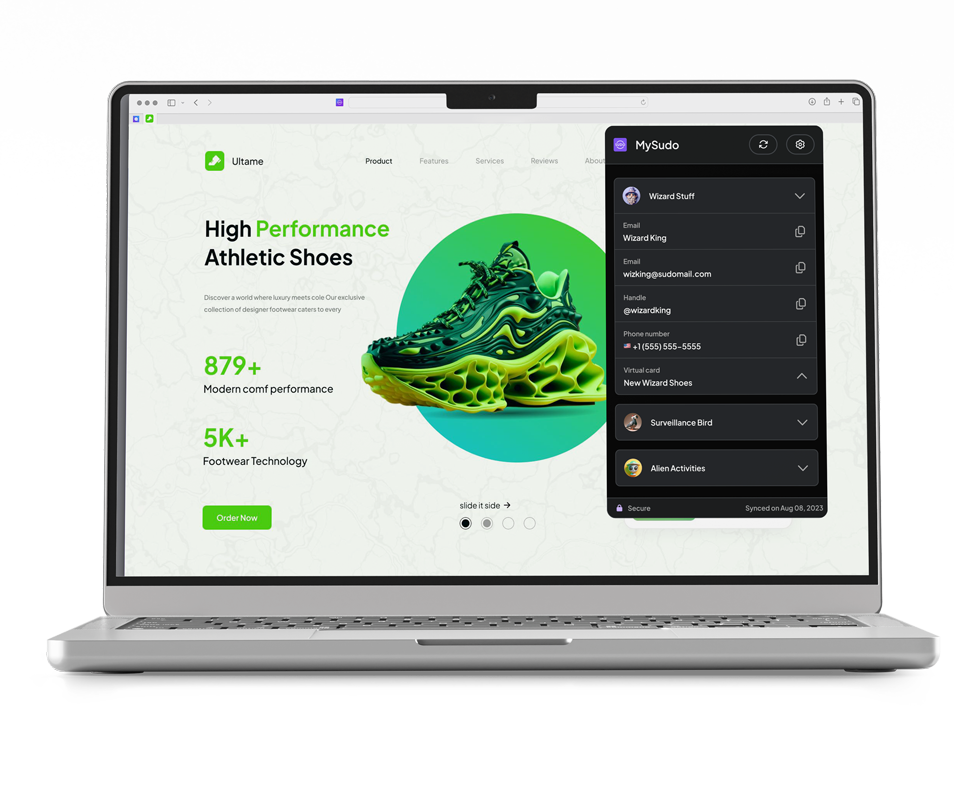
From here, when you land on a checkout or signup form, the extension detects the fields and offers to fill them with your Sudo details. Select the Sudo you want to use, and the form fills automatically with that Sudo.

If you’re using the MySudo desktop app instead of the browser extension, you can copy and paste your Sudo details into forms. It’s still faster than typing from scratch, but the extension has the autofill experience.


See the value on your next checkout

The fastest way to understand how this works is to use it on your next checkout or signup.

For example:

  • Create a Sudo for shopping.
  • Give it a name, email, phone number, and a virtual card (optional).
  • Sync it to your browser extension.
  • Open a retailer you already use and go to checkout.
  • Let it autofill.

That’s it. You’ve completed a checkout without exposing your personal details. It’s a small moment, but it has saved your time and privacy.

Sudo autofill speeds up:

  • Checkouts: Name, email, phone number, and payment details, autofilled from whichever Sudo you choose.
  • Account signups and logins: The extension detects the fields and fills them automatically.
  • Password resets: When you use a consistent Sudo email for a category of accounts, you always know which inbox to check. No more guessing which address you used when you signed up two years ago.
  • Free trials: Fill in your Sudo details and start the trial. If it’s not for you, there’s no marketing follow-up to your personal inbox and no awkward cancellation email to deal with.


FAQs

Which browsers does the MySudo extension support?
Chrome, Firefox, Safari, and Microsoft Edge. Install it on your browser and link it to the MySudo mobile app.

Do I need the mobile app?
Yes. The extension syncs with the MySudo app to access your Sudos.

What does autofill include?
Your Sudo name, email address, phone number, and virtual card.

Can I use different Sudos for different checkouts?
Yes. You can choose which Sudo to use each time, keeping your activities separate.

Where do confirmation emails go?
They arrive in your Sudo inbox inside the MySudo app and can be managed there like a normal inbox.


Effortlessly access your Sudo credentials on your computer

Maximize the power of compartmentalization and privacy. Organize and protect your online activities by autofilling your MySudo information on your computer instead of your personal information.

Frequently asked questions

A browser extension, or a plug-in, is a software component that enriches a web browser’s capabilities. These add-ons introduce new features or functions, enhancing user experience. From security aids like ad-blockers and password managers to productivity tools such as note-takers and translators, extensions offer tailored web experiences within the browser.

Yes, the MySudo Browser Extension makes an encrypted connection with the MySudo mobile application when you pair with a QR code. All your Sudo details remain secure within the Browser Extension for use when filling in forms or completing activities online.

The MySudo Browser Extension is not currently available for mobile devices. However, future updates plan to include this feature to provide users with a seamless browsing experience across all devices. Stay tuned for further developments.

The MySudo Browser Extension provides a privacy-focused solution for web browsing. It creates ‘Sudos’ or distinct digital identities in the MySudo mobile app, each with unique emails and phone numbers for different online tasks. This compartmentalization protects personal data while browsing and provides enhanced security. If you prioritize internet privacy and a seamless online experience, download MySudo Browser Extension.

The MySudo Browser Extension is engineered for compatibility with Safari, Google Chrome, Firefox and Microsoft Edge.

Yes, the MySudo Browser Extension allows you to autofill MySudo virtual cards and billing information on your desktop.