AI privacy feels like a losing battle. But it isn’t if you know where to start.
Artificial intelligence is now embedded in nearly every digital service you use. It’s curating the news you read, scoring your creditworthiness, setting the interest rate you’re offered on a loan, and personalising everything from your Netflix queue to the price you’re quoted for car insurance.
Most people have a general sense that AI is feeding off their personal information, but not everyone understands that the relationship between AI and privacy is very different from anything that came before it: AI doesn’t just collect our data, it learns from it, infers from it, and can expose it in ways that are difficult to predict or reverse.
This guide gives you practical, concrete steps you can take right now to reduce your risk exposure. Understanding AI and privacy is the first step; acting on that knowledge is what this guide is for. It goes beyond traditional data privacy advice because AI privacy threats are distinct from standard data breaches, and the tools and habits that protect you in a traditional sense are simply not enough on their own.
AI privacy and data privacy (which the world was focused on until AI joined the chat) differ in important ways, but there’s some overlap.
Data privacy asks: who can see my information? AI privacy asks a harder question: what can AI figure out about me, and what might it give away? The distinction matters because the tools and habits that protect you in a traditional data privacy sense don’t fully address what AI introduces.
Traditional privacy tools – things like VPNs, encrypted messaging apps, and private browsers – are designed to protect your data as it moves around: who can see it, where it goes, and who has access, and they do this job well.
But AI introduces a second problem that these tools don’t address: what happens after your data has been collected and fed into an AI model. This is important because AI systems can:
The good news is that you are not helpless. A combination of top-shelf privacy tools, smart habits, and AI-specific precautions can really reduce your exposure to AI privacy risks. Here’s how to build that protection layer by layer.
When you use AI chatbots and assistants, your conversations may be stored and used to train future versions of the model. This is the most direct pipeline from your personal data into an AI system, and it’s one you can partially control:
AI systems are often trained on or connected to data brokers – companies that aggregate personal information from public records, loyalty programs, app permissions, and hundreds of other sources. Reducing the real personal data those systems can access starts with protecting your identity details:
To get all these protections in one place, check out MySudo suite.
Data brokers are one of the primary ways your personal information ends up in AI training datasets. Companies like Spokeo, Whitepages, and Acxiom and dozens of others collect and sell your name, address, phone number, relatives’ details, employment history, and more, often without your knowledge:
Removing your data from broker databases is not a one-time fix and removal alone doesn’t tell you the full picture of where your personal information is held. A personal data scanning tool that analyses your email inbox can identify which companies hold your information and give you a much clearer sense of your total exposure. Look for one that also identifies data breaches so you can act quickly rather than finding out months later when the damage is already done.
Your browsing behaviour is one of the richest data sources feeding AI-powered advertising and profiling systems. Small changes to how you browse make a meaningful difference:
Not all AI products handle your data the same way. Before you use any AI tool, especially one that processes personal or sensitive information, take a few minutes to understand what you’re agreeing to:
The AI privacy landscape is moving quickly in both directions: new threats are emerging, but so are better protections.
While MySudo is a consumer privacy tool by design, it is particularly well-suited to the AI era because its core strategy – compartmentalization – directly undermines the way AI profiling systems work.
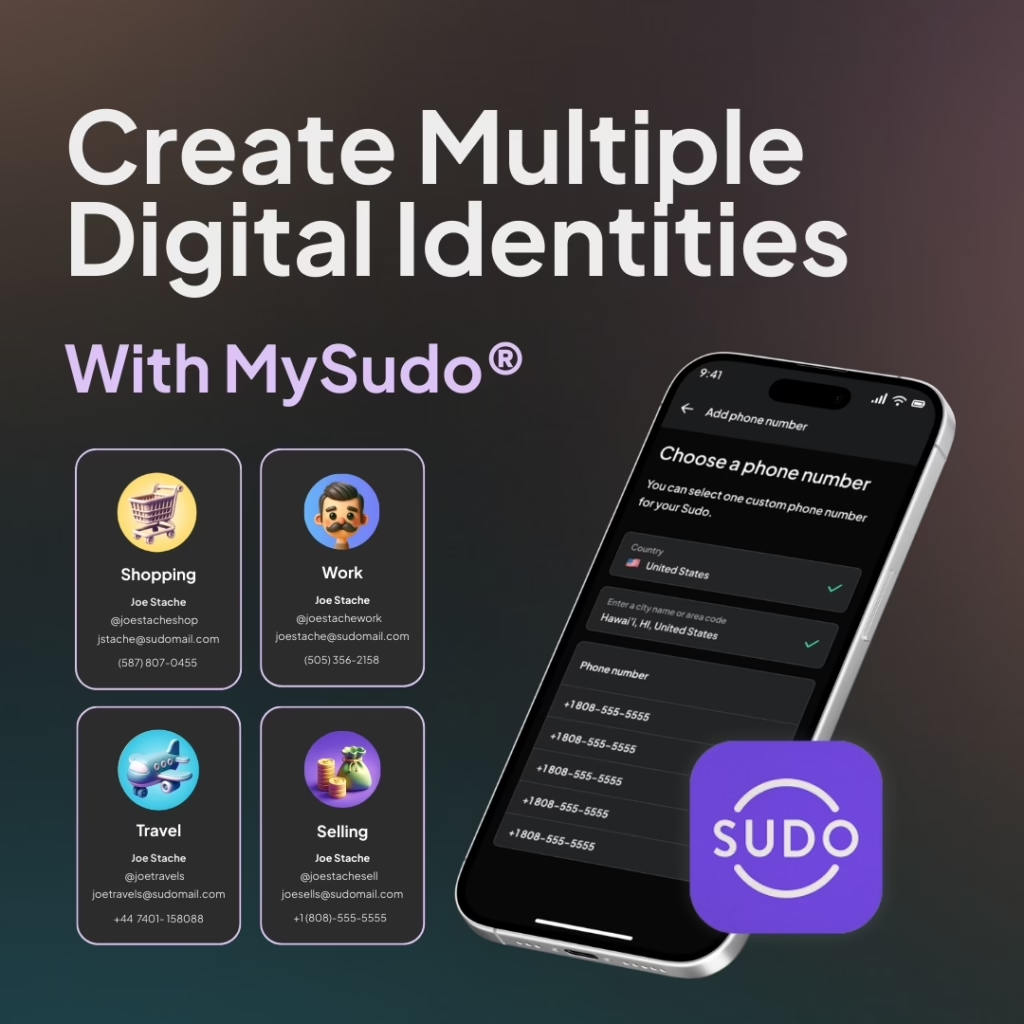
As the step-by-step guide above explains, AI profiling works by linking data points together: your phone number here, your email there, your purchase history somewhere else, until a detailed picture of you emerges from which the AI can make inferences and predictions. MySudo disrupts that process at the source. It lets you create up to nine separate digital identities called Sudos, each with its own phone number, email address, virtual card, private browser, and handle. Anywhere you would normally hand over your real personal details, you use a Sudo instead.
If you use one Sudo for online shopping, another for dating apps, and another for professional networking, for example, those data trails are effectively siloed. There is no common identifier connecting them back to you, which is precisely what AI profiling systems need to build a profile.
This extends to your financial data too. Each Sudo comes with an optional virtual card, keeping your real card details out of merchant databases and the commercial data pipelines that feed AI systems. Payment behaviour is one of the richest sources of consumer profiling: where you shop, how often, and what you buy can reveal a surprising amount. A separate virtual card per Sudo breaks that trail at the source.
MySudo also offers a practical defence against one of the fastest-growing AI-enabled scams: voice deepfakes. The grandparent scam – where a criminal uses AI-generated voice cloning to impersonate a family member in distress – has become alarmingly convincing. Setting up a dedicated Sudo number shared only with your closest family and friends creates a trusted communication channel. If that number rings, you can be confident it’s someone in your inner circle. A scammer is very unlikely to have it.
Step 2 of the guide recommends a VPN with an independently audited no-logs policy. MySudo VPN fulfills that role, masking your IP address and preventing your internet provider and the sites you visit from building a behavioral profile tied to your location, which is another key data source for AI profiling systems.
Step 4 of the guide covers data discovery and breach monitoring: understanding where your personal data is held and acting when it’s compromised. MySudo Reclaim is built for exactly that. It scans your Gmail inbox to identify which companies hold your personal information, identifies data breaches, and helps you to request data deletion or switch the information to MySudo information instead of personal information.
Together, MySudo, MySudo VPN, and MySudo Reclaim offer a complete, layered defence: MySudo limits new exposure by replacing your real details with compartmentalised alternatives, MySudo VPN protects your network activity, and MySudo Reclaim reduces the existing digital footprint that AI systems and bad actors can already access. Used together, they address more of the step-by-step action plan in one suite than any other single privacy solution.
Protecting your privacy from AI is not about paranoia or opting out of the modern world. It’s about making deliberate choices that limit how much of your personal information ends up in systems you don’t control – systems that are increasingly good at using that information in ways you’d never anticipate or agree to.
You will not achieve perfect privacy. But every layer of protection you add makes you a harder target and shifts the balance of power (even slightly) back in your favour. Start with the action plan above, build the habits over time, and stay curious about how the technology is evolving. The people who navigate this era best will be the ones who stayed informed.
How To Protect Your Privacy