The hidden cost of “free” online tools
Every time you search for a timezone converter, a unit calculator, or a quick stopwatch, you are using a free online tool that is almost certainly tracking you. These tools — many of them AI-generated websites built specifically to rank in search results and serve ads, were not created out of generosity. They exist because your attention and browsing data are worth money.
This is not a conspiracy. It is how ad-supported software works. Understanding the business model changes how you see every “free” tool you use online.
How websites make money with ads – and what they collect along the way
The economics are straightforward: a website does not need to charge users a dollar to be profitable. It needs enough visitors to generate ad impressions.
Google AdSense and similar ad networks pay publishers based on how many people view or click their ads. The math works like this:
- A modestly popular tool attracts 50,000 visitors a month
- Ads display on every page load
- The site earns a CPM (cost per thousand impressions) rate of $5–$20
- That’s $250–$1,000/month from a single, simple webpage
Major “free” converter sites and AI-powered landing pages with millions of monthly visitors can earn tens of thousands of dollars per month from display ads alone. This model has funded the internet for decades and is why so much of what we use online appears to be free.
Most people understand that online ads generate revenue for site owners — whether clicked or not. What is less understood is that the ad is almost incidental. The real value is not the impression. It is everything the ad network collects in the process of showing it to you.
When an ad loads on a page, it does not just display a banner. It drops cookies, reads your browser fingerprint, and logs which tools you use, when, and from where. That data is bundled into a targeting profile that follows you across the web — not just on that site, but everywhere its ad network has a presence. Ad tracking websites piece together your habits, interests, and intentions from hundreds of these micro-signals. The timezone tool knew you were planning a trip before your friends did.
What ad tracking websites actually load in your browser
When you visit one of these ad-supported tools, this is a breakdown of what loads in your browser — much of which has nothing to do with the tool itself:
- The actual tool (often a few kilobytes of JavaScript)
- Google ad tags — which phone home to Google’s ad servers and initiate an auction for your eyeballs in real time
- Analytics scripts — tracking your time on page, scroll depth, clicks
- Retargeting pixels — so the site (or its ad partners) can follow you to other websites
- Third-party trackers — often from data brokers you’ve never heard of
Browser extensions like uBlock Origin or NoScript make this visible. When you enable NoScript and visit a typical free tool site, you’ll often see it attempting to connect to 10–20 external domains just to render one simple page. Block Google’s ad-syndication scripts and the tool still works fine — because the tracker was never part of the tool.
How to block ads and tracking from free online tools
Avoiding free tools entirely is unnecessary. A few targeted layers of protection are sufficient:
Use a secure, compartmentalized browser on mobile. On mobile, tracking is even more pervasive because browsers have fewer extension options. The best defense is a browser built for privacy from the ground up — and ideally one that supports compartmentalized browsing. Rather than using a single browser for everything — work research, personal queries, sensitive health or financial searches — a compartmentalized approach lets you separate identities so no single tracker can build a complete picture of who you are.
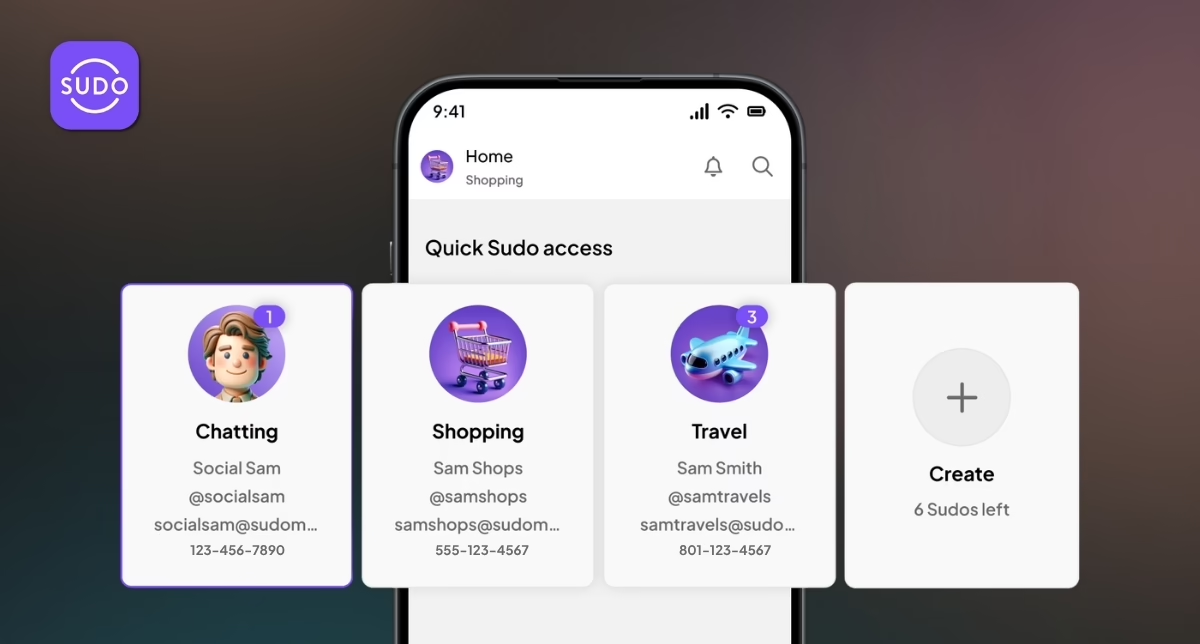
MySudo is built around exactly this idea. Its private browser lets you navigate the internet without ads, tracking, or surveillance — and it goes further than most privacy browsers by letting you create separate “Sudos,” each with their own isolated browsing history, email, and phone number. Key features include:
- Blocks ads and tracker cookies by default — no configuration needed
- Separate browsing history for each Sudo — your work research never mingles with your personal searches
- Built-in site reputation service — flags suspicious sites before you interact with them
- Breaks your data trail — so advertisers and data brokers can’t stitch together a profile across your activity
It’s a meaningful step up from simply using private/incognito mode, which only prevents your local device from storing history — it does nothing to stop the tracker on the other end.
Use a privacy-focused browser on desktop. Not all browsers are created equal when it comes to privacy. The three most recommended alternatives to Chrome are Brave, Firefox, and DuckDuckGo — each with a slightly different approach:
| Brave | Firefox | DuckDuckGo | |
|---|---|---|---|
| Privacy by default | Very strong out of the box | Good, but needs some tuning | Good for basic privacy |
| Tracker blocking | Excellent – built in | Strong with Enhanced Tracking Protection | Blocks some trackers, not as broadly as Brave |
| Ad blocking | Built in by default | Requires an extension | Blocks some intrusive ads |
| Fingerprinting resistence | Strong | Decent with strict settings | Limited |
| Customization | Good | Excellent – most extensible | Limited |
| Speed/performance | Often fast and efficient | Usually solid, but can be heavier than Chromium-based browsers | Lightweight, but not as feature-rich |
| Best for | Most users wanting strong privacy with no setup | Power users who want full control | Simple, lightweight private browsing |
Any of these is a significant upgrade over Chrome, which ties directly into Google’s advertising profile of you. Pick one and use it.
Use a browser extension to block ads and trackers
- uBlock Origin is the most popular browser extension to block ads — free, open-source, and highly effective. It’s available for Chrome, Firefox, and most major browsers.
- NoScript goes further — it blocks JavaScript from running unless you explicitly allow it. More powerful, but requires a bit of setup.
Use offline alternatives where possible Many simple tools — calculators, unit converters, stopwatches — exist as native apps on your device or can be done with a quick voice assistant query. No server, no ads, no tracker.
The bottom line
Free online tools are not charities. They are businesses running on your attention and data — and the tracking extends far deeper than most users realize. Every free timezone converter, calculator, and stopwatch is almost certainly feeding your browsing behavior into an ad profile that follows you across the web.
Protecting yourself is straightforward. A browser extension like uBlock Origin takes two minutes to install and immediately reduces your exposure. A privacy-focused browser or mobile tool like MySudo adds a stronger layer of protection for day-to-day use.
For a broader look at staying safe online, read our complete guide to online privacy.
Frequently asked questions
Are free online tools safe to use? Free online tools are generally safe to use in terms of malware, but almost all of them track your browsing behavior through ad networks, cookies, and browser fingerprinting. Using a browser extension to block ads and trackers significantly reduces your exposure.
Why do free online tools track you? Free online tools make money through ad revenue. Ad networks pay to show you ads, but they also collect data about your browsing habits in the process. That data is used to build targeting profiles that follow you across the internet — it’s the core of how ad tracking websites operate.
What is the best browser extension to block ads and tracking? uBlock Origin is widely considered the most effective free browser extension to block ads and trackers. It’s open-source, available for all major browsers, and requires no configuration to start working.
Is incognito mode enough to stop tracking? No. Incognito mode only prevents your local device from storing your browsing history. It does nothing to stop ad networks, trackers, or data brokers from collecting your data on the other end. A dedicated privacy browser or compartmentalized browsing tool like MySudo provides far stronger protection.
Ready to take back control of your digital privacy? Try MySudo — a private browsing and communication app built for people who’d rather not be the product.